How To Add RFID Fobs to Fanvil Door Intercoms

Fanvil door intercoms offer a secure and convenient way to manage access to buildings, and one of their most useful features is support for RFID fobs and cards. These allow authorised users to unlock doors quickly without needing keys or PIN codes.
In this guide, we’ll walk you through how to add RFID fobs to your Fanvil door intercom step by step.
Method 1 – i6 series
Go to Security Settings> Card Reader working mode Add card.
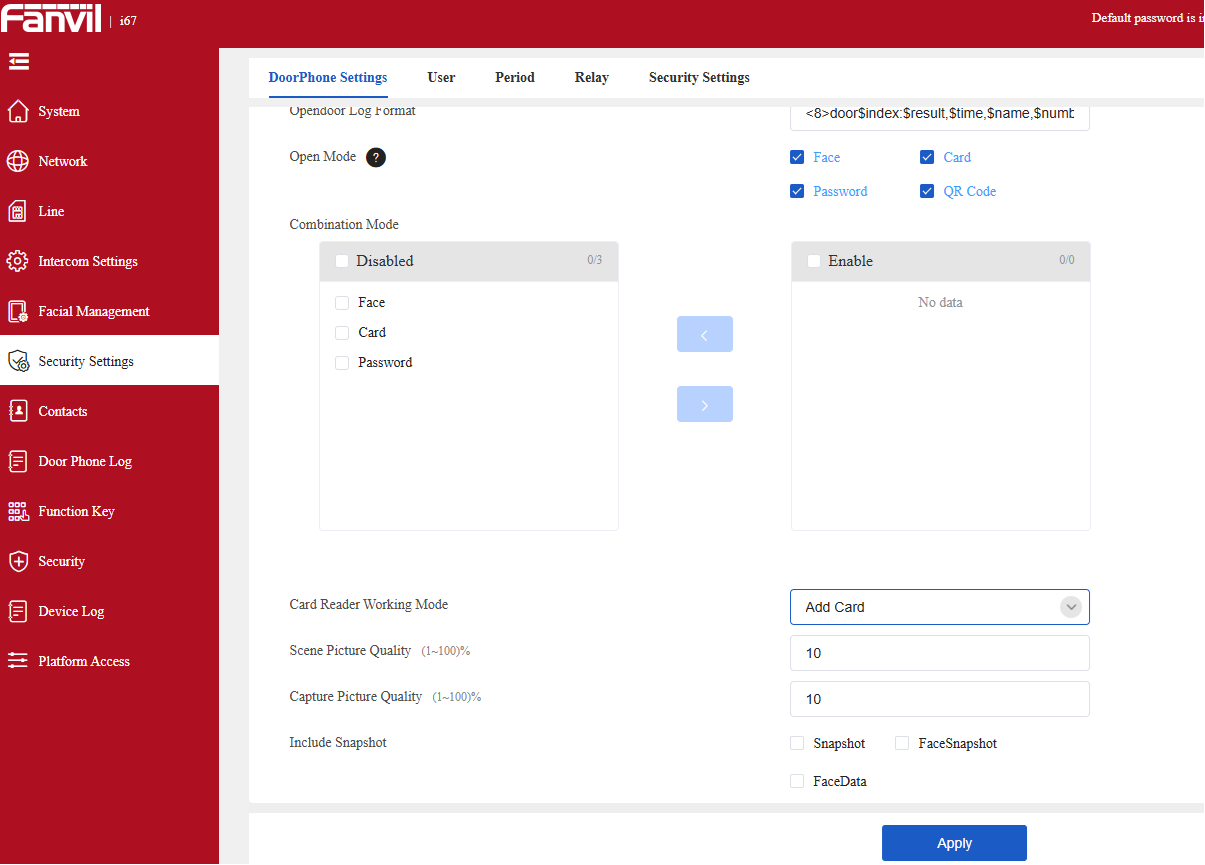
You can then present a Fob.
Then if you go to Security Settings>User you can assign the user.
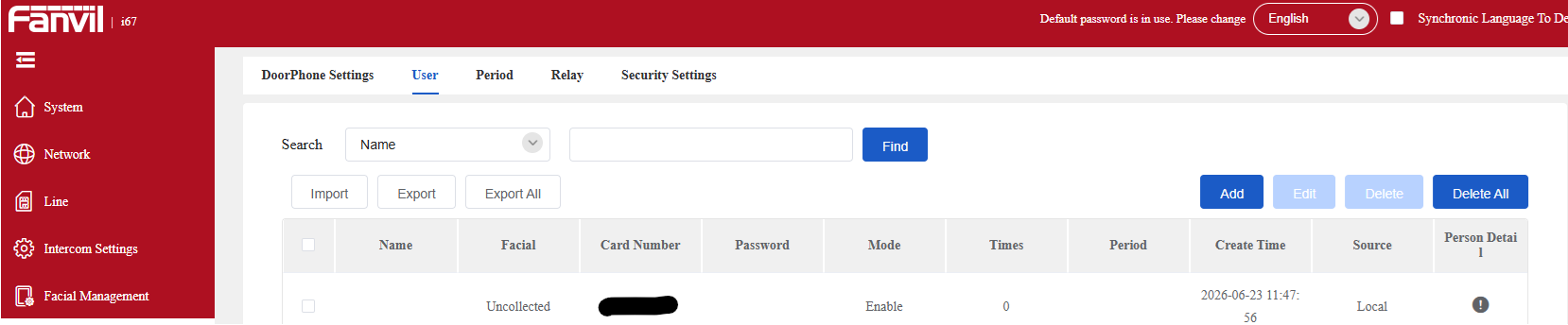
Method 2 – Older units
Some older devices don’t have the screen so need to find the code on the web interface.
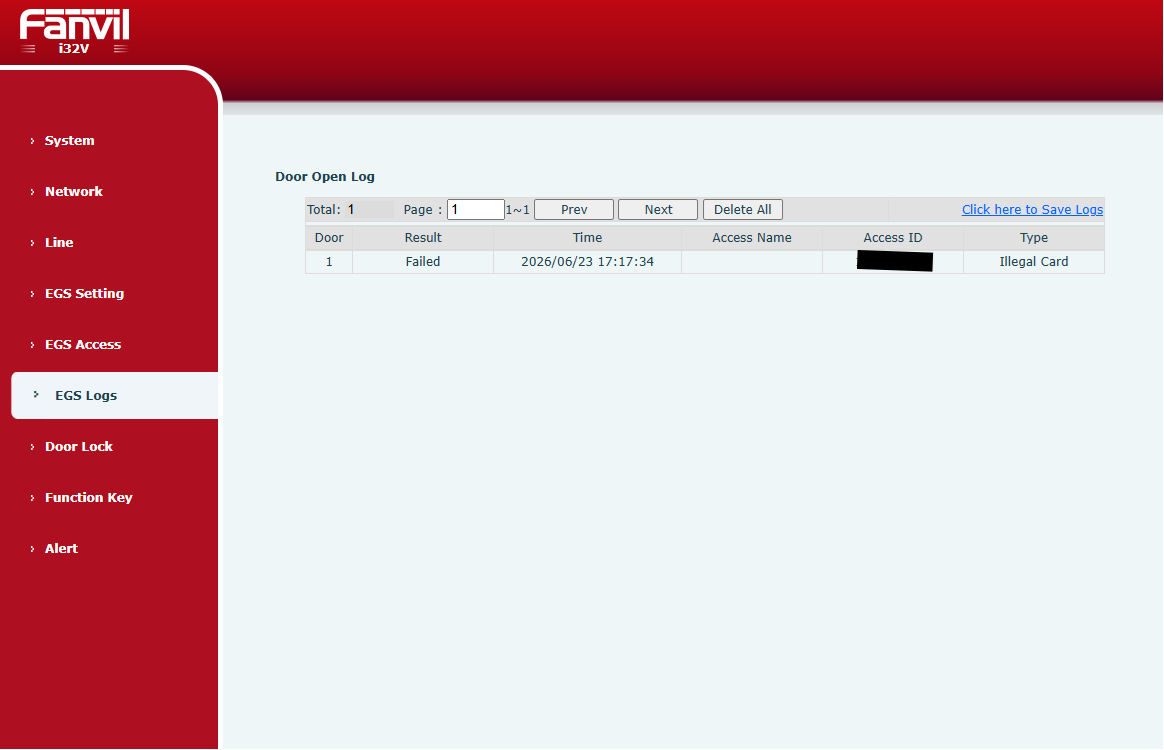
Log into the web interface of your door intercom and go to EGS Logs
Scan one of your new fobs and you will get an error as it has not been registered,
You will see the access ID for the fob you just scanned.
Want a feel for our products? There are more videos available on our Yellowgrid YouTube Channel.
Reseller application – Click HERE to apply
Looking for more information? No problem, contact us on 03330144340 or sales@yellowgrid.co.uk.
Catch up with our Other Blogs!
- New Products & Promotions – Discover the Latest Fanvil & LINKVIL Solutions with Exclusive Limited-Time Discounts
- Webinar: Fanvil SIP-Based Nurse Call Solution — No Server. No Complexity. Just Smart Care
- Fanvil Price Increase: What You Need to Know for August 2026
- How To Add RFID Fobs to Fanvil Door Intercoms
- Grok AI Transcription for 3CX – Costs